
Blind Contour Drawing1.0 - App Store
You'll be able to see results in few seconds.
Publisher Description
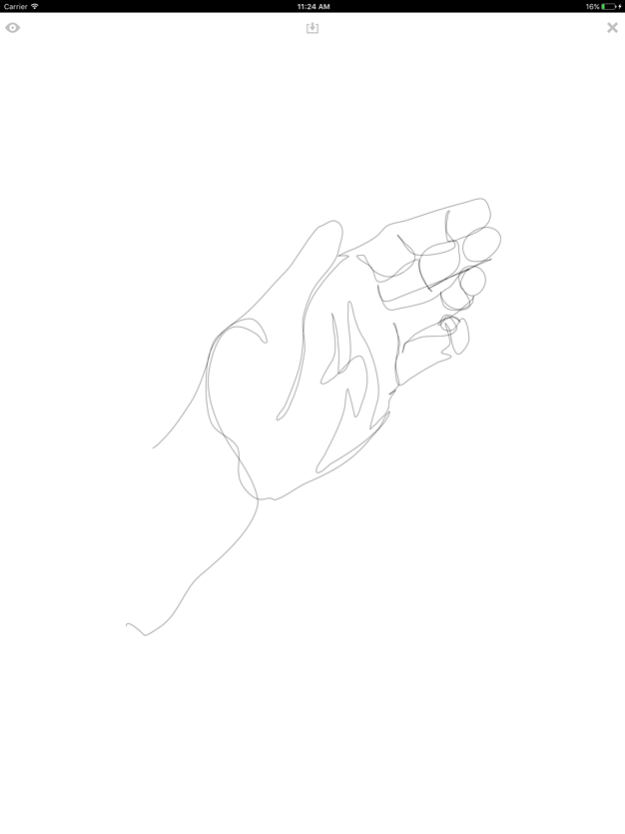
The pencil is an extension of your eye. In order to strengthen this connection, to help you grow as an artist, there is a technique known as blind contour drawing. Here is how it works...
Pick an object to draw. It should be something in your view, not something imaginary. Look at the object and select a point on the object where you want to begin your drawing.
Place your pencil (or finger) to the screen ad let your eye trace the details of object. As your eye moves, move your hand. Do not lift your pencil, instead make a single continuous line that wanders around responding to the details your eyes stumble across.
The urge will be almost irresistible to look back and forth from the object to the paper. This habit leads you to judge your drawing to quickly and breaks the link between your eye and your hand. That is why this app hides your drawing except for a faint line.
After your eyes have touched all the edges, the contours of the object you are drawing, you are finished. Lift your pencil, tap the eye icon in the upper left and your drawing will appear.
Now comes the hardest part of blind contour drawing. When you see your drawing for the first time there will be a voice in your head telling you it isn't good. Don't listen. It is perfect. You are looking at a direct recording of your observation, the documentation of the connection between your eye and your hand.
Finally, tap the save icon to save it to your camera roll then share it with friends. Then clear your canvas and try again.
Feb 22, 2017
Version 1.0
This app has been updated by Apple to display the Apple Watch app icon.
About Blind Contour Drawing
The company that develops Blind Contour Drawing is Adrian3. The latest version released by its developer is 1.0.
To install Blind Contour Drawing on your iOS device, just click the green Continue To App button above to start the installation process. The app is listed on our website since 2017-02-22 and was downloaded 0 times. We have already checked if the download link is safe, however for your own protection we recommend that you scan the downloaded app with your antivirus. Your antivirus may detect the Blind Contour Drawing as malware if the download link is broken.
How to install Blind Contour Drawing on your iOS device:
- Click on the Continue To App button on our website. This will redirect you to the App Store.
- Once the Blind Contour Drawing is shown in the iTunes listing of your iOS device, you can start its download and installation. Tap on the GET button to the right of the app to start downloading it.
- If you are not logged-in the iOS appstore app, you'll be prompted for your your Apple ID and/or password.
- After Blind Contour Drawing is downloaded, you'll see an INSTALL button to the right. Tap on it to start the actual installation of the iOS app.
- Once installation is finished you can tap on the OPEN button to start it. Its icon will also be added to your device home screen.
Program Details
System requirements
Download information
Pricing
Version History
version 1.0
posted on 2017-02-22
Feb 22, 2017
Version 1.0
This app has been updated by Apple to display the Apple Watch app icon.
Disclaimer
Official App Store Link
We do not host Blind Contour Drawing on our servers. We did not scan it for viruses, adware, spyware or other type of malware. This app is hosted by Apple and passed their terms and conditions to be listed there. We recommend caution when installing it.
The App Store link for Blind Contour Drawing is provided to you by apps112.com without any warranties, representations or guarantees of any kind, so access it at your own risk.
If you have questions regarding this particular app contact the publisher directly. For questions about the functionalities of apps112.com contact us.
